Track production from the shop floor and manage your processes from one point.
Knowing which job has started, which operation is in progress and how many products have been completed is important for good planning. Tracking through paper forms, different files and verbal reports can make that information hard to reach.
Techsoft Production and Shop Floor Tracking System helps you track work orders, operations, production quantities and shop floor reports in an orderly way. Records made on computers, tablets and suitable barcode readers support the flow of information between the shop floor and management.
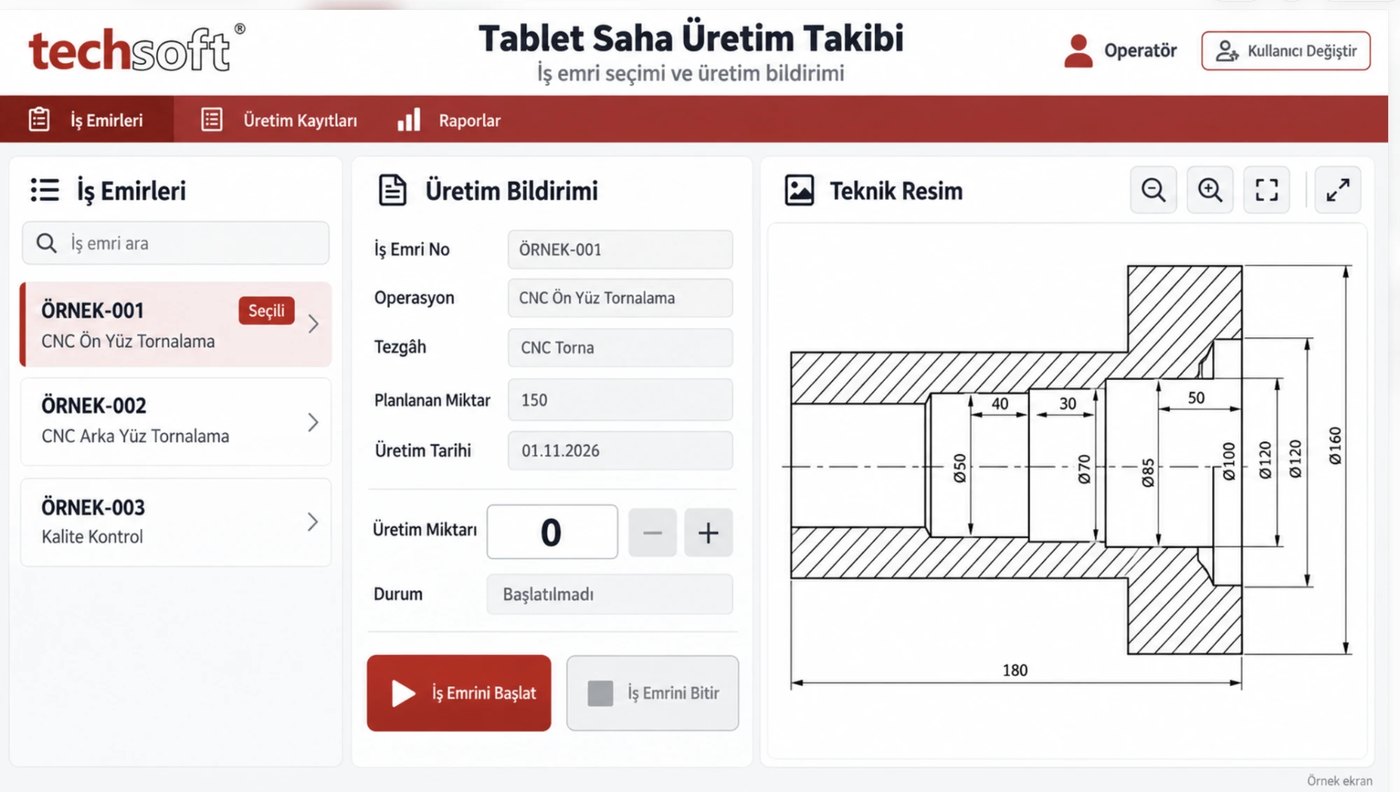
Follow work orders from start to finish
Review on one system which stage each work order is at, the related machine and the reported production quantities. Your employees can view the jobs opened for them, select the relevant operation and report production from the shop floor.
So managers can assess production progress from the records and more easily tell pending jobs from completed ones.
Key features
Work order and operation tracking
List work orders, view related operations and track start and finish records. Assess each work order with its product, machine and operator details.
Benefit: Job responsibility and current status become more visible, and production tracking gets easier.
Barcode production reporting
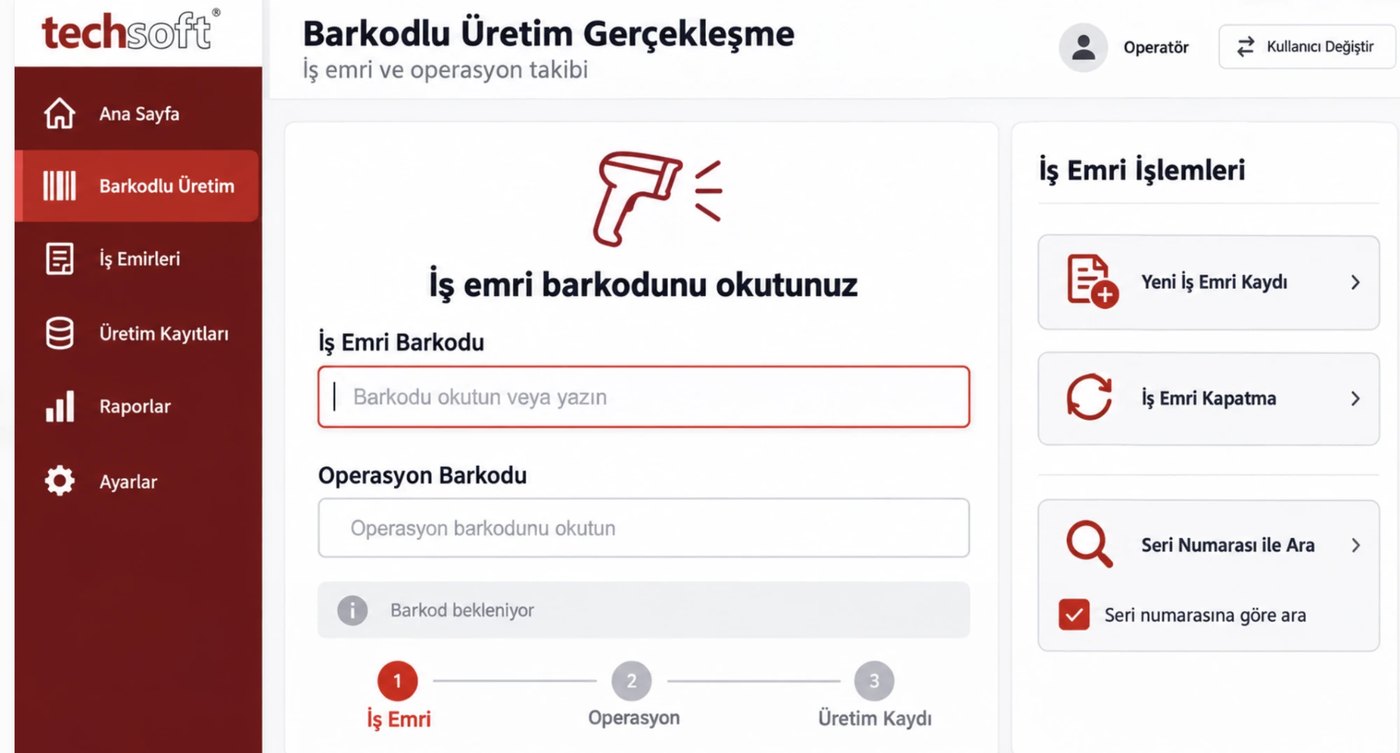
Scan work order and operation barcodes to reach the relevant record. Make production reporting more practical by reducing the need to type long codes.
Benefit: Helps speed up data entry and reduce the risk of selecting the wrong record.
Shop floor use on tablets
Let employees select work orders, review operation details and enter production quantities from the production area. Large buttons and simple screens make shop floor use easier.
Benefit: There is less need to go to a separate office computer to report, and records can be created where the work is done.
Planned and actual production
Track the target quantity on the work order together with reported production. Review completed and remaining quantities to assess progress.
Benefit: Makes it easier to see incomplete production and jobs needing follow-up.
Quality and document records
Good, scrap and rework records
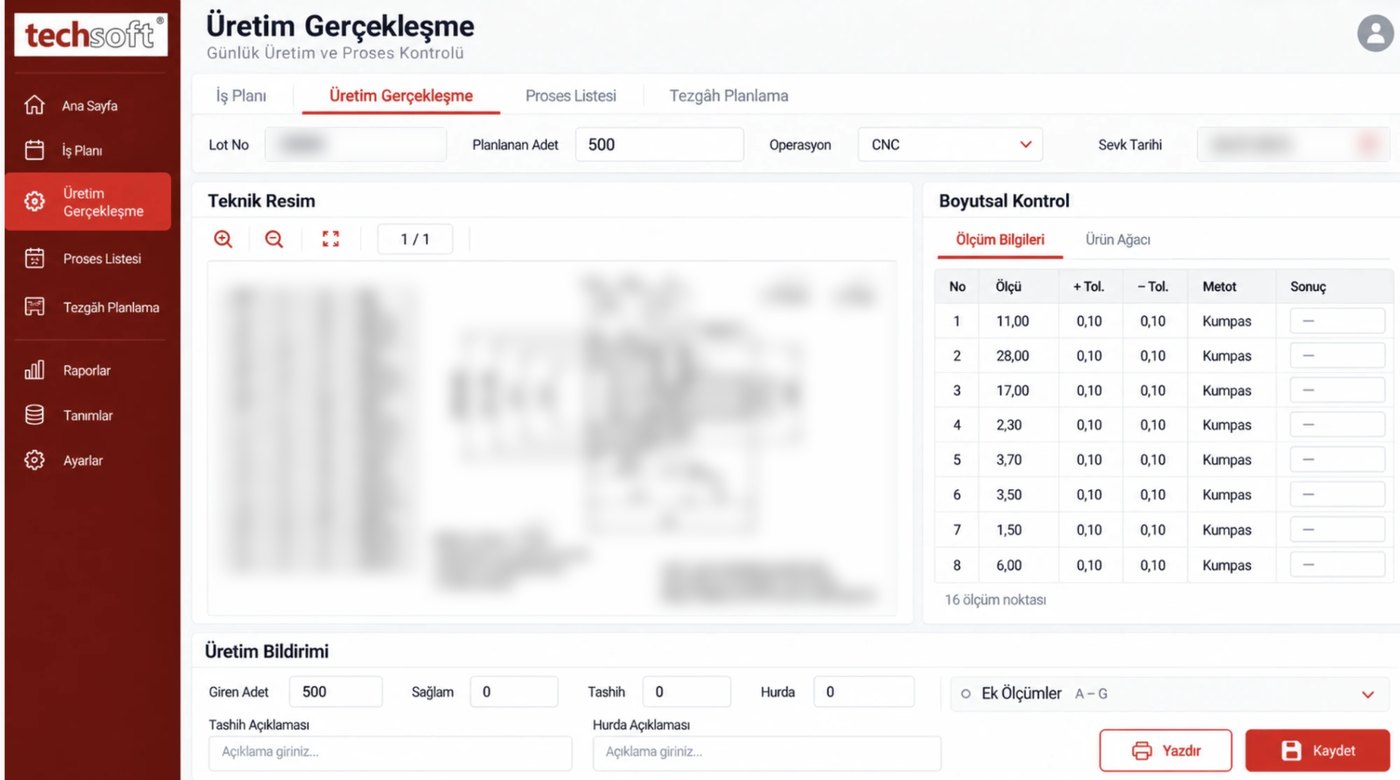
Record production results with good, scrap and rework quantities. Add explanations to track problems in production.
Benefit: Helps you assess losses and base improvement work on concrete records.
Technical drawings and production documents
View technical drawings and work documents for the job on the production screen. Give operators the product and operation details they need together with the work order.
Benefit: Reduces the need to search for documents and helps employees reach the right one more easily.
Measurement and process control records
View defined measurement points, tolerances and control methods. Link measurement results to the related production record.
Benefit: Supports keeping control results in order and reviewing them with production history.
Weighing, batches and labels
Raw material weighing and scale connection
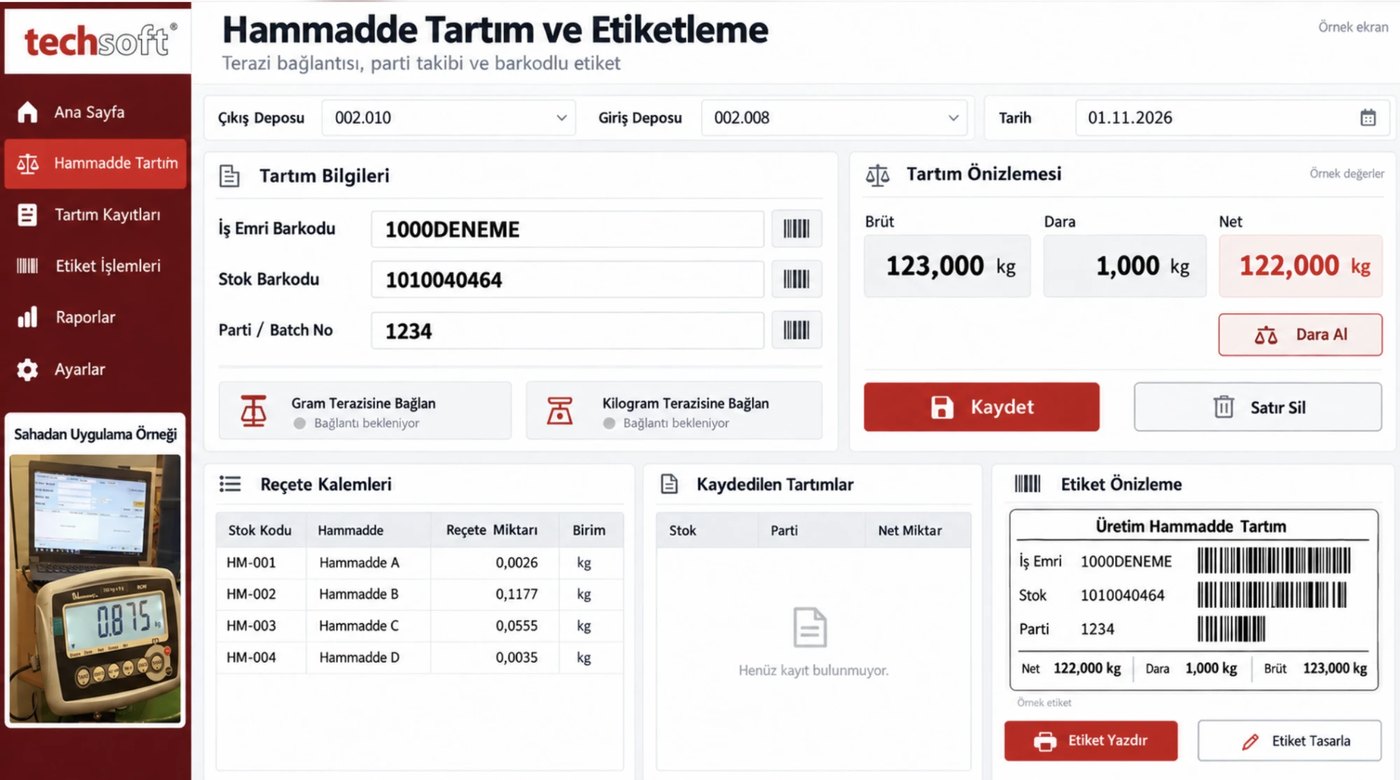
Bring weighing information into the production process with suitable scale connections. Track gross, tare and net quantities with work order, stock and batch details.
Benefit: Keeps weighing records in order and helps reduce manual data transfer.
Batch and barcode label tracking
Link raw material and production records to batch or lot details. Print barcode labels with defined label layouts.
Benefit: Makes it easier to identify materials and find the related records later.
Monitoring, integration and reporting
Monitoring by machine and operator
Review production reports with machine and employee details. Follow from the records which jobs run on which resources.
Benefit: Helps you assess work distribution and resource use.
ERP integration
Depending on the suitability of your current ERP system, share work order, product, stock and production information. Records created on the shop floor can be used with the related business processes.
Benefit: Reduces the need to re-enter the same information in different systems and supports coordination between production and other departments.
Reporting and permissions
Review production records by date, work order, product, operation, machine or operator. Set the screens and actions users can access according to their roles.
Benefit: Makes it easier to reach the information you need and keep use of records under control.
What does it bring to your business?
Visibility in production
You can follow work on the shop floor through the reports entered.
More orderly records
Scattered notes and information held in different files come together in one structure.
Less repeated data entry
Barcode, scale and ERP connections can reduce manual work in suitable processes.
Easier coordination
Production, planning, warehouse and quality can work together from related records.
Traceable production history
Work order, operation, quantity and batch details are linked for later review.
Information for improvement
Incomplete production, scrap and rework records can be assessed to identify areas to improve.
How does it work day to day?
The operator selects the work order opened for them on the screen or scans its barcode, reviews the operation and related technical drawing, and starts the job.
During or at the end of the work, they record the production quantity and any necessary explanations. Depending on scope, they also add measurement, scrap, weighing and batch details. When the job is complete, a finish record is created.
Managers and relevant departments can review these records, within their permissions, to assess the state of production.
A solution that fits your production
Every shop floor works differently. Techsoft Production and Shop Floor Tracking System can be adapted to your operations, the devices you use, your reporting needs and your existing software.
Tablet, barcode reader, scale, label printer and ERP connections are assessed within the project scope. How up to date the information is depends on shop floor records being entered on time and on connection conditions.
Turn your shop floor information into orderly records, and those records into easier management.
Contact Techsoft to assess the right scope for your business and to request a demo.